Getting Started
This guide will help you set up Spotify integration with plistsync from start to finish.
Prerequisites
Installation
First, install the Spotify optional dependencies:
pip install 'plistsync[spotify]'
uv add plistsync --extra spotify
Spotify Account
You’ll need an active and paid Spotify account.
Note
Since February 2026, Spotify
no longer allows access to its API for free accounts
and limits us to 5 users per App, even for paid accounts.
This means we can no longer provide working API credentials for plistsync users. You have to create you own credentials.
API Credentials
To authenticate with Spotify’s API, you need to obtain API credentials:
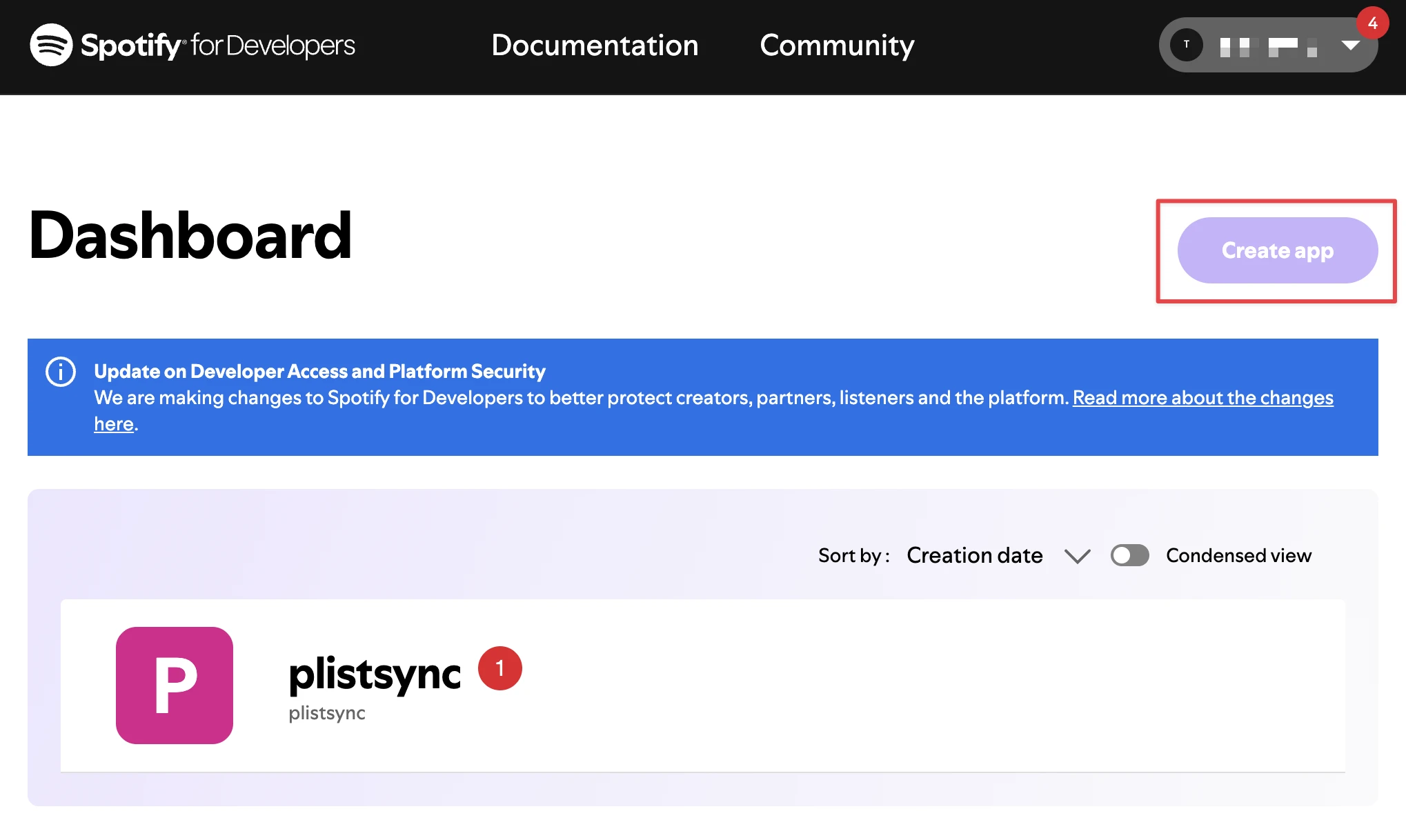
Visit the Spotify Developer Portal
Log in with your paid Spotify account
Create a new application
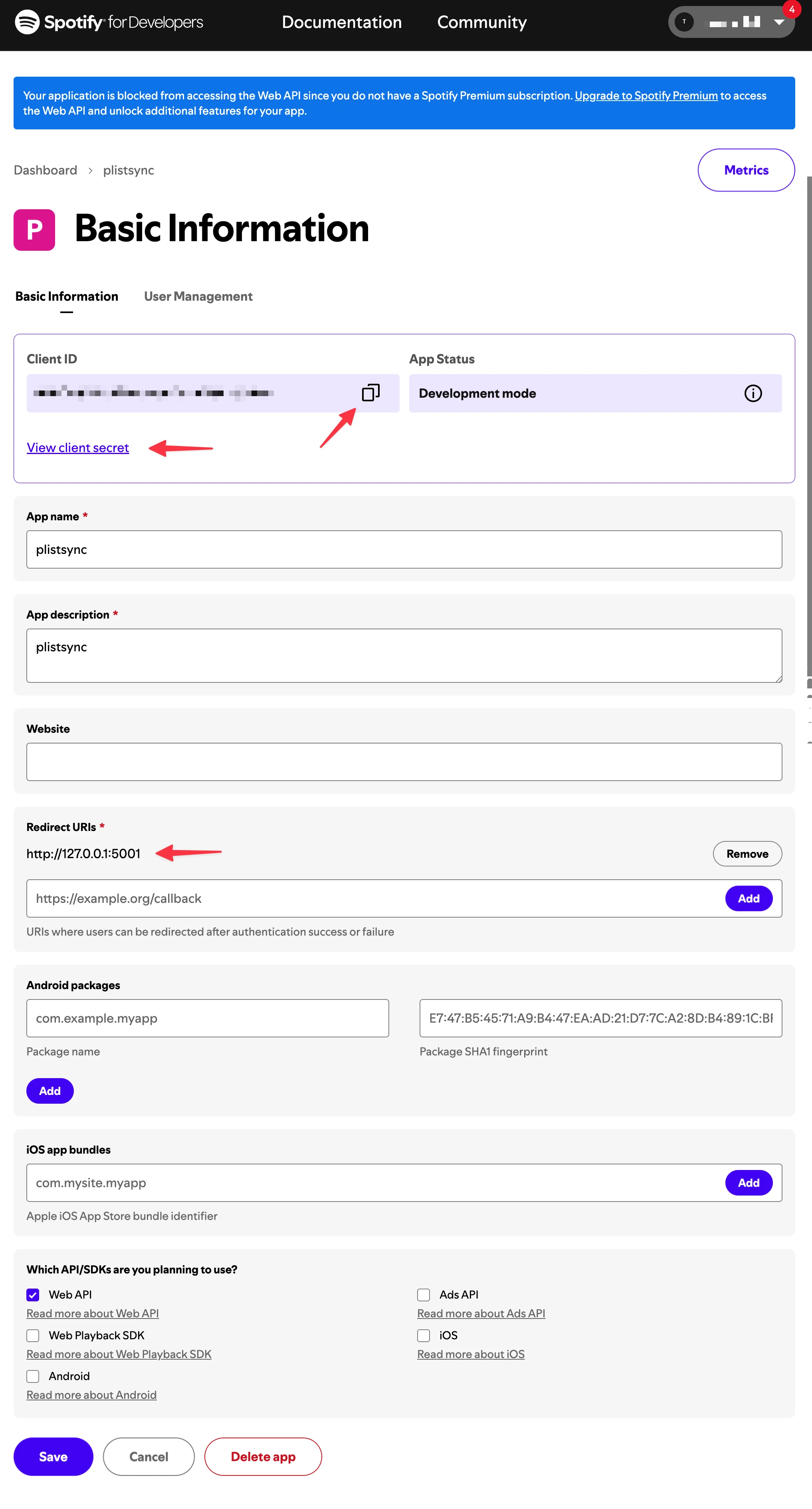
Generate your
client_idandclient_secret
Configuration
Enable Spotify in your plistsync configuration file:
# ./config/config.yaml
services:
  spotify:
    enabled: true
    client_id: your_spotify_client_id_here
    client_secret: your_spotify_client_secret_here # Optional but recommended
Authentication
Once configured, authenticate plistsync with your Spotify account:
plistsync auth spotify
This will start an interactive authentication flow:
You’ll be prompted to open a browser to Spotify’s authorization page
Log in with your Spotify credentials
Grant
plistsyncthe requested permissionsThis will save an authentication token in the
configfolder
Authentication Preview
Verification
Test that everything is working by getting your user data:
from plistsync.services.spotify.api import SpotifyApi
print(SpotifyApi().user.me())
This should return your user’s ID and email.